Installing subscriptions on online store 2.0 themes
How to activate and install subscriptions on online store 2.0 themes
Why install the selling plan snippet?
- Purchase options are not enabled by default.
- You must install snippets to your theme for you products to have subscription purchase options.
Prerequisites:
- This guide is only for online store 2.0 themes
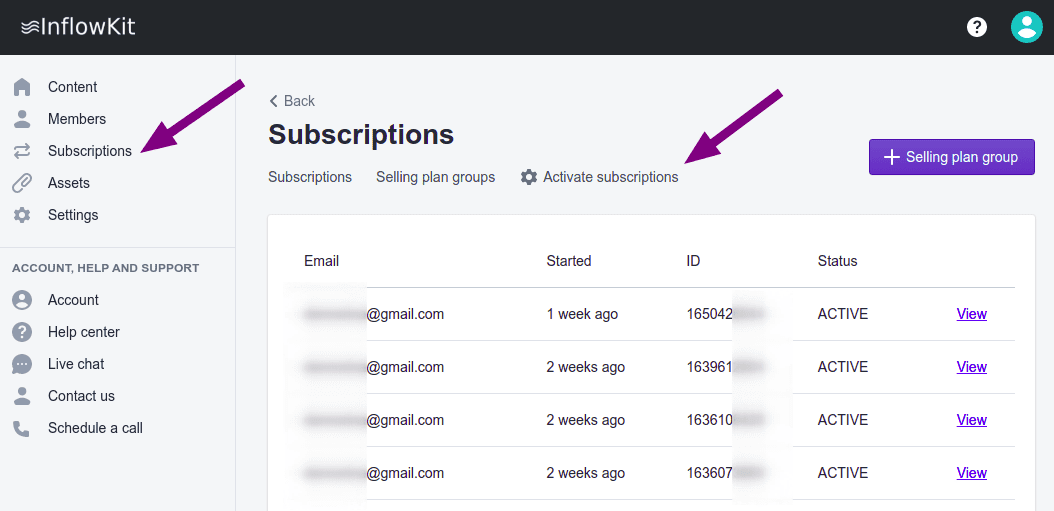
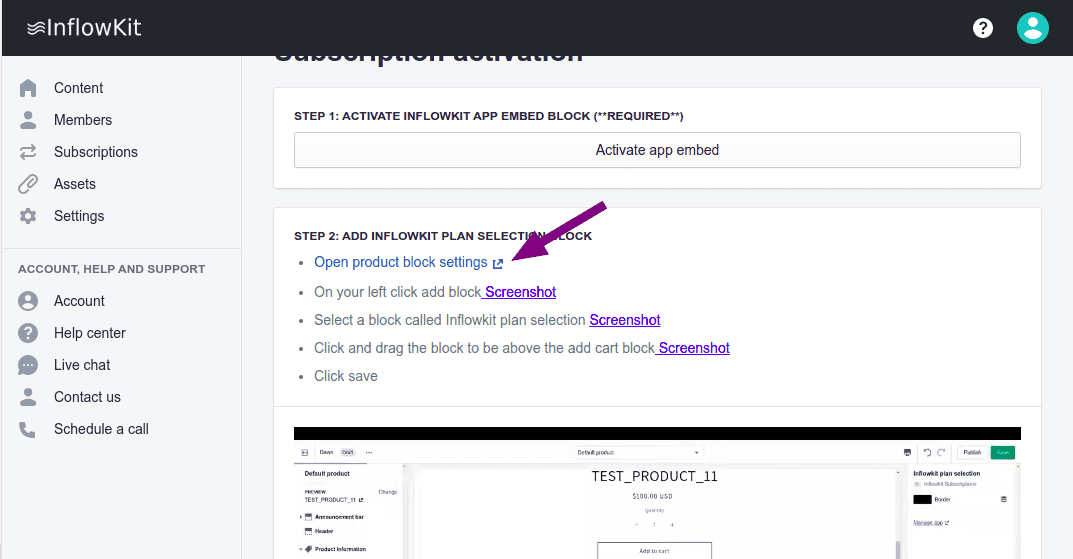
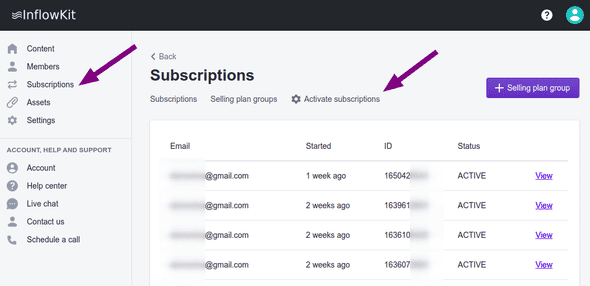
- On the left side menu click Subscriptions and on the tabs select Activate subscriptions.
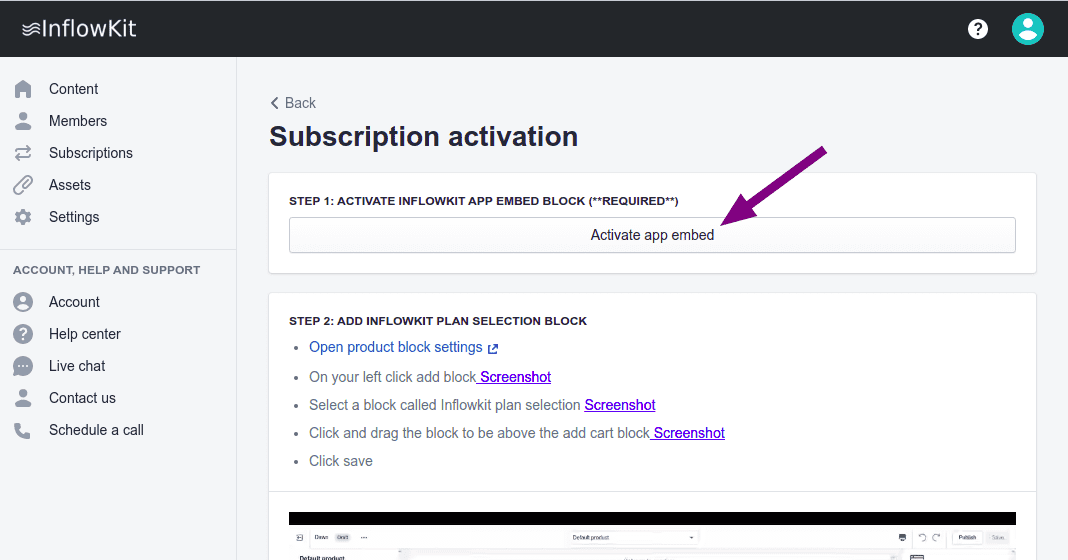
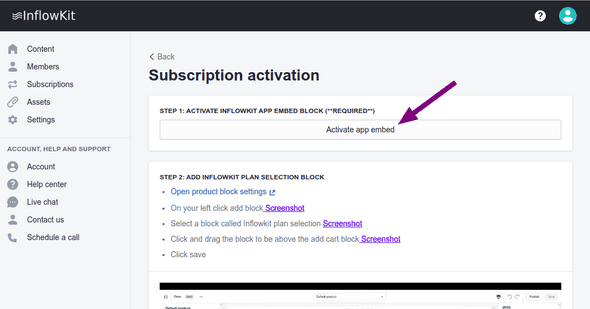
- In step one, click Activate app embedd.
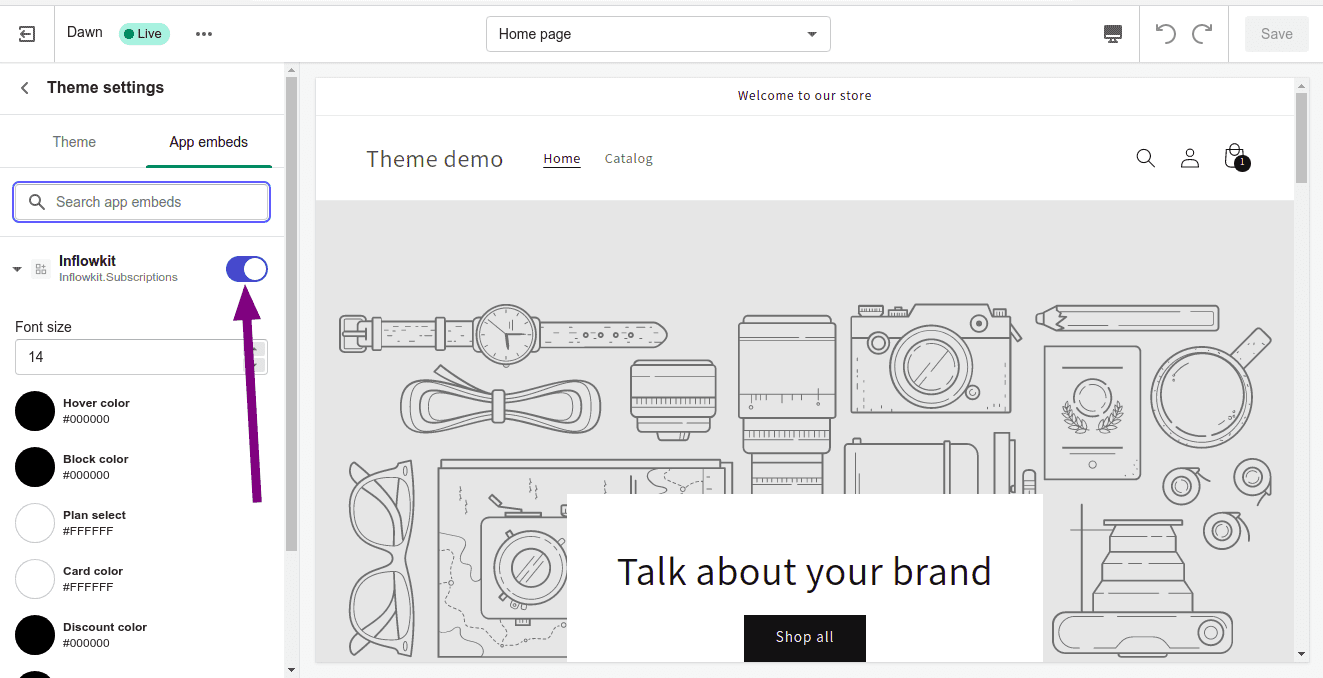
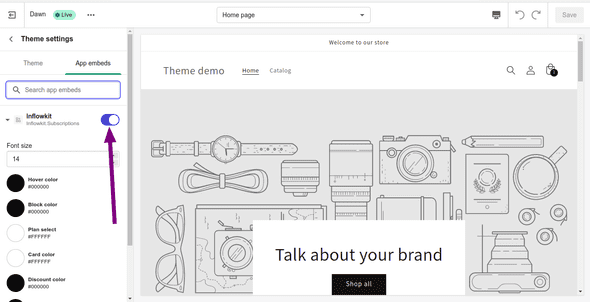
- On the page that opens ensure that Inflowkit subscriptions is activated if not, activated it by clicking
the switch
- In step 2, click on Open product block settings
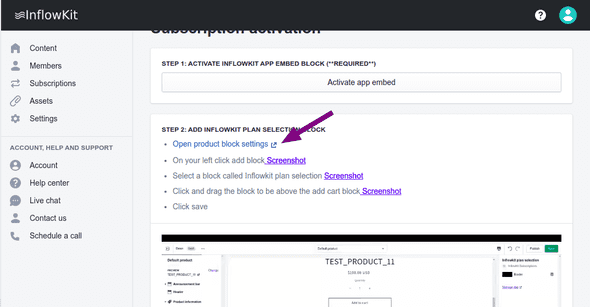
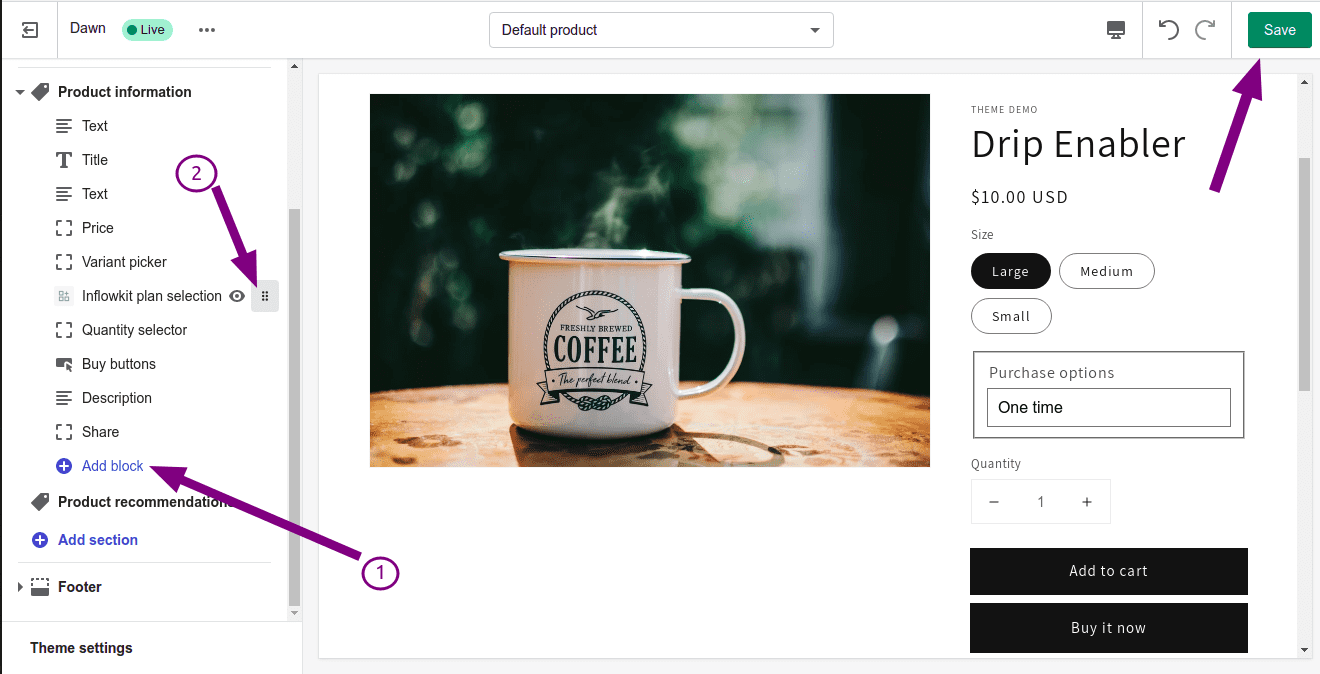
- This will bring you to the test product page. On the left side menu, look for and click on Add block and select the InflowKit Plan Selection block to add it. Here you can drag the block up and down by clicking InflowKit plan selection to a position you’d like.
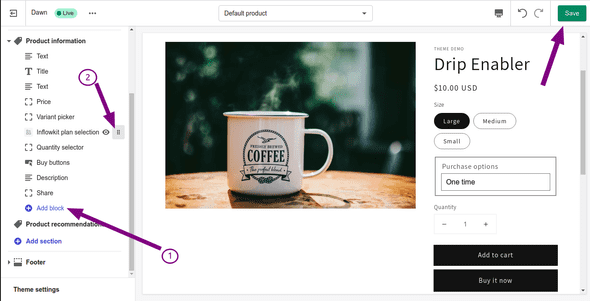
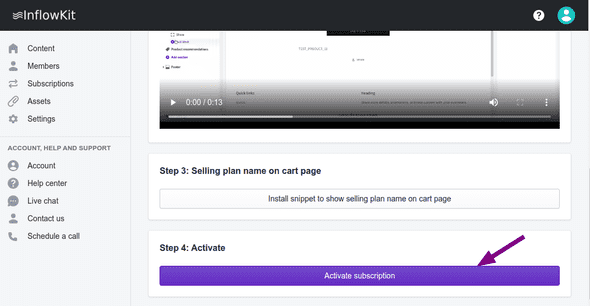
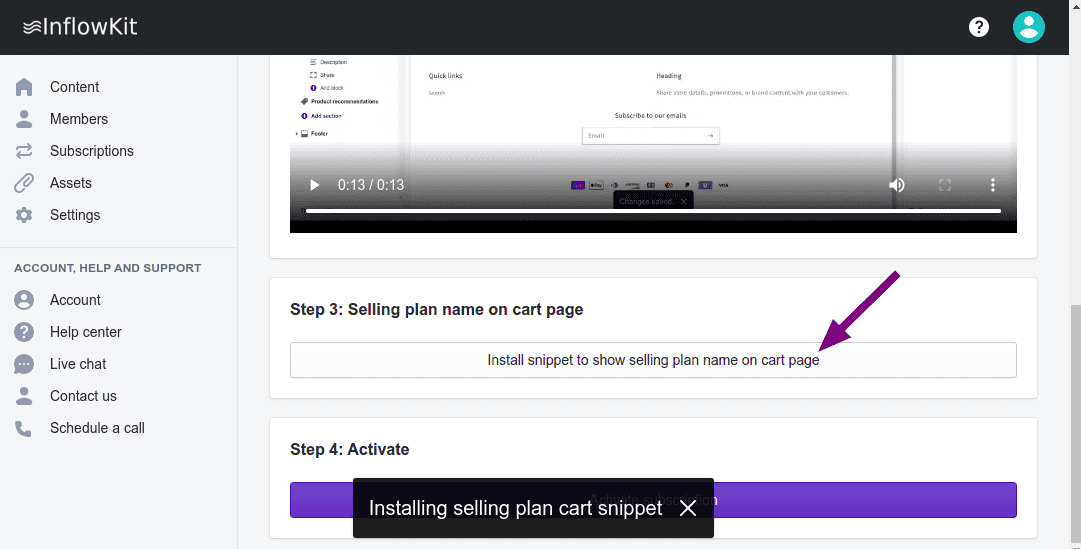
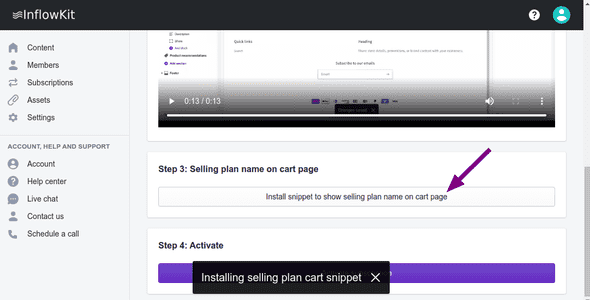
- After that, back on the activate settings in step 3, click on install snippet to show selling plan name on cart page
a notification of completion will appear
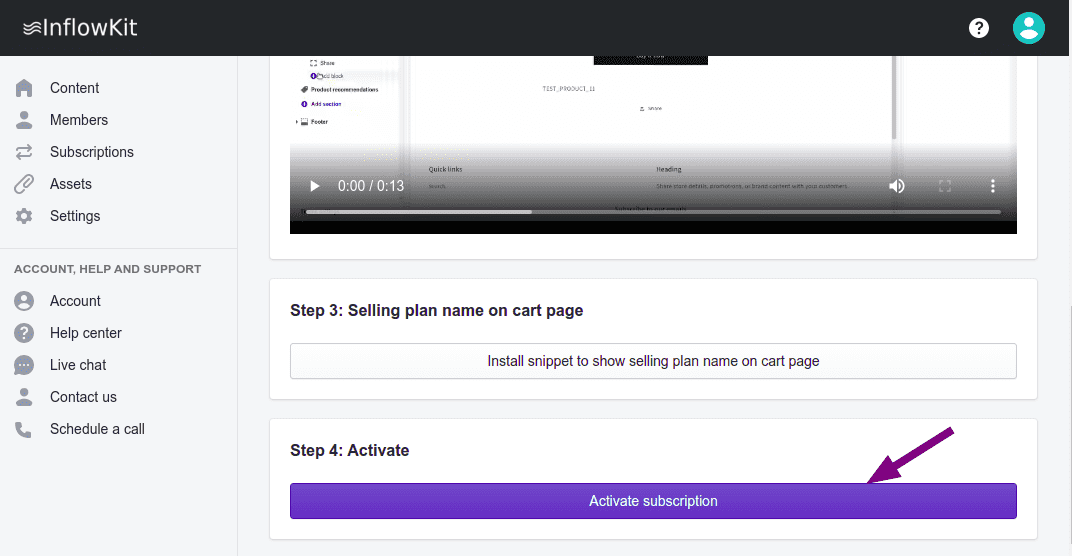
- Once you are done click Activate subscription